Server Management, Simplified.
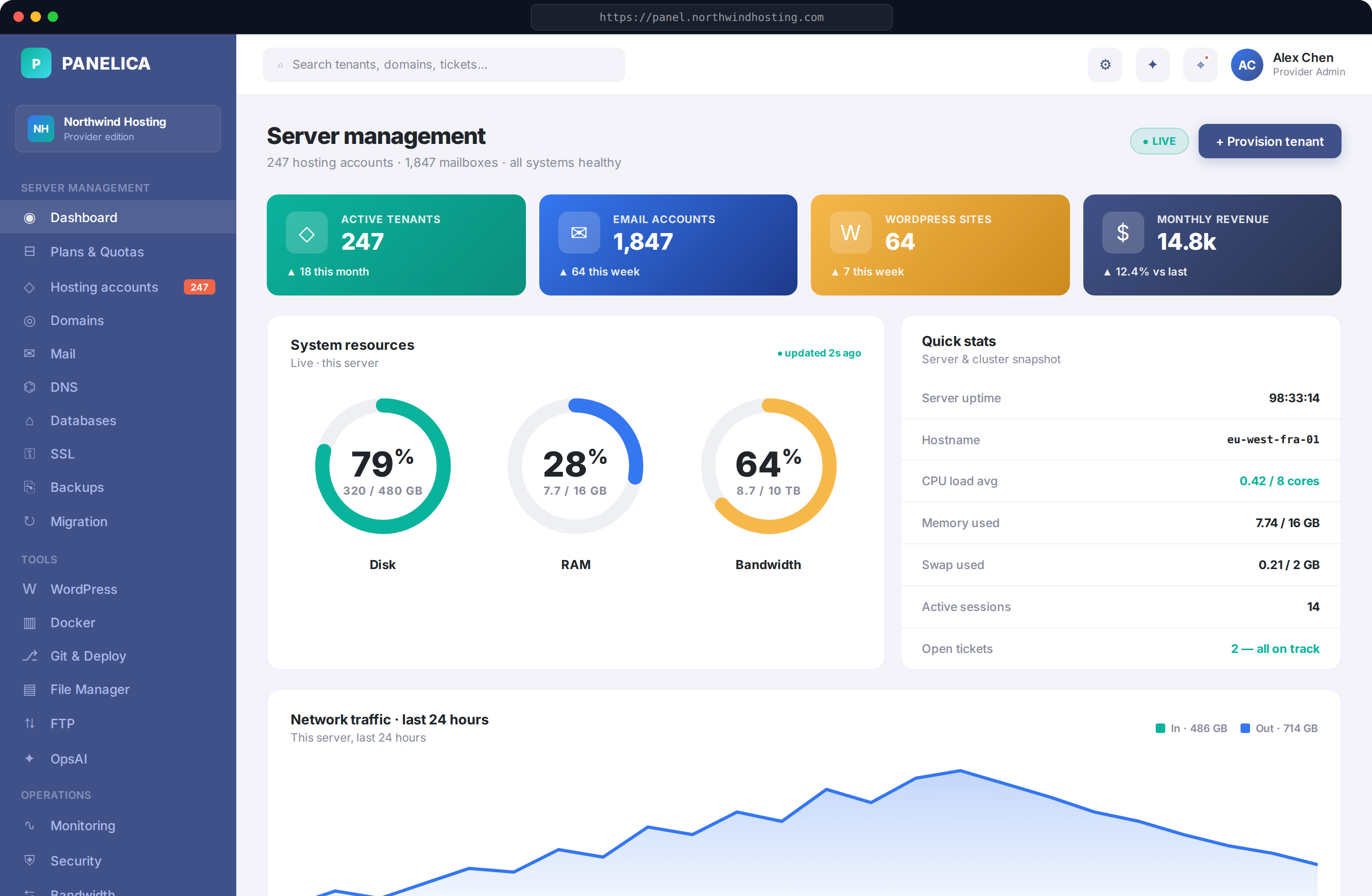
Run every customer site, mailbox and database from one panel — desktop or phone. One-click migration, no password resets.
curl -sSL https://latest.panelica.com/install.sh | bash
Three teams. One panel.
Whether you sell hosting, manage client sites at an agency, or just run your own server, Panelica works for one site or five hundred without changing tools.
Hosting providers
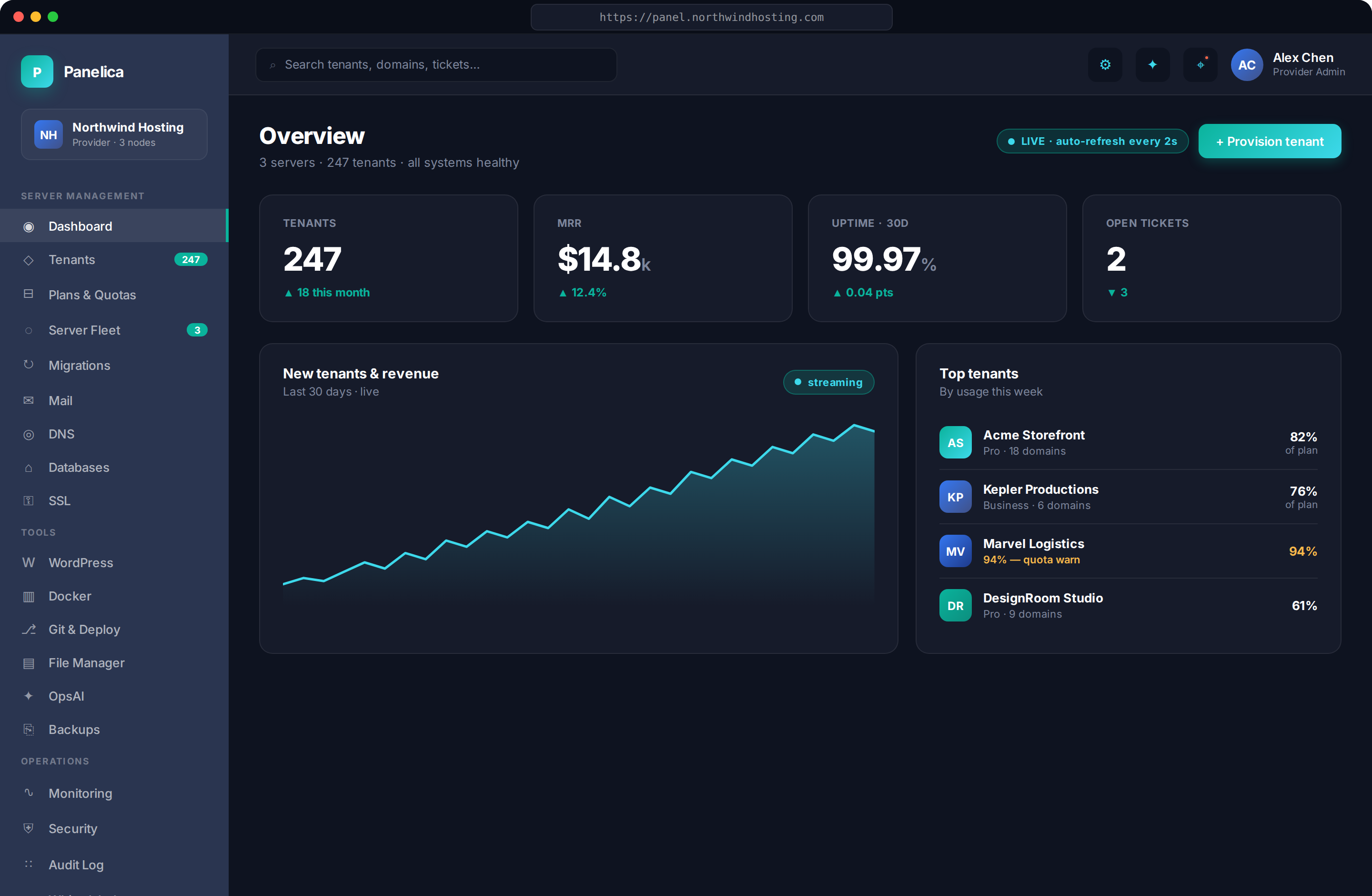
Operate hundreds of customer accounts per server, and every server from one master panel. White-label panel, reseller mode, plans with quotas, MRR per plan, and a 7-step migration importer that brings the entire customer base over.
- Plans & Quotas with three-gate enforcement
- White-label · 42-color brand tokens
- Reseller mode + per-tenant overrides
- Hash-preserving migration in
- Audit log · 7-year retention
Agencies & web studios
Host every client site on your own server, with your own brand. WordPress, Cloudflare, Git deploys and AI helper all in one place, plus a phone app for late-night fires.
- WordPress Toolkit (install · harden · Redis Boost · staging)
- White-label client view
- Cloudflare 8-tab integration · Origin Cert
- Mail autoconfig, clients set up Outlook in 1 tap
- Git deploy per project · OAuth · rollback
DevOps & power users
A complete server toolkit. 99 ready-to-deploy apps including VPN servers, media servers and password managers. Web terminal, process viewer, AI helper, no shell scripts to maintain.
- 99 Docker templates · OpenVPN · WireGuard · Jellyfin
- Web Terminal · Process Manager · Cron scheduler
- eBPF bandwidth · AppArmor · ModSecurity
- Git Deploy with multi-env CI/CD
- OpsAI co-pilot · 15 specialist experts
What people tell our support team
Unfiltered feedback from real tickets and conversations — identities shortened to initials.
Real depth, not a navigation menu
Jump to any feature
40 modules, 200+ pages, zero plug-ins.
Other panels charge for add-ons. We built every feature in. Each module has its own dedicated pages, ready to use from day one.
Panelica vs every other hosting panel
A practical comparison against cPanel, Plesk, DirectAdmin, aaPanel and CyberPanel. Every row reflects 2026 stable feature availability without third-party add-ons.
| Feature | Panelica | cPanel | Plesk | DirectAdmin | aaPanel | CyberPanel |
|---|---|---|---|---|---|---|
| Built-in AI co-pilot | ✓ 15 experts | , | , | , | , | , |
| Native iOS & Android apps | ✓ in stores | , | , | , | , | , |
| One-click migration from any panel | ✓ 7-step pipeline | , | Partial | , | , | , |
| Zero password change on migration | ✓ Hash-preserved | , | , | , | , | , |
| Free forever (personal use) | ✓ Full features | , | Trial | , | ✓ | ✓ |
| No per-account licensing | ✓ Flat license | Tiered | Tiered | Tiered | Free | Free |
| 5-layer kernel isolation | ✓ cgroups+ns+chroot+fpm+perms | 2-layer | 2-layer | 2-layer | 2-layer | 2-layer |
| eBPF bandwidth limiter | ✓ Kernel-pinned | tc/iptables | tc/iptables | tc/iptables | , | , |
| Docker manager with templates | ✓ 99 templates | Add-on | Add-on | , | ✓ 400+ apps | Limited |
| Cloudflare integration | ✓ 8-tab | Basic | Basic | Basic | Basic | Basic |
| WordPress Toolkit | ✓ 8-page incl. benchmark | WP Toolkit | WP Toolkit | Plugin | Plugin | ✓ |
| White-label branding | ✓ 42 colors, custom domain | Add-on | Pro | Yes | Add-on | , |
| Live SSE / WebSocket UI | ✓ No reloads | Page refresh | Page refresh | Page refresh | Page refresh | Page refresh |
| Language support | 31 languages | 28 | 29 | 22 | 14 | English-only |
| One-line install | ✓ ~6 min | Complex | Complex | Complex | ✓ | ✓ |
Information based on each vendor's public documentation as of May 2026. Where third-party add-ons are required for a feature, the cell is marked Partial.
Modern hosting needs more than what 20-year-old panels can deliver
Some features don't retrofit. They have to be built from the kernel up.
Domain management that goes deep.
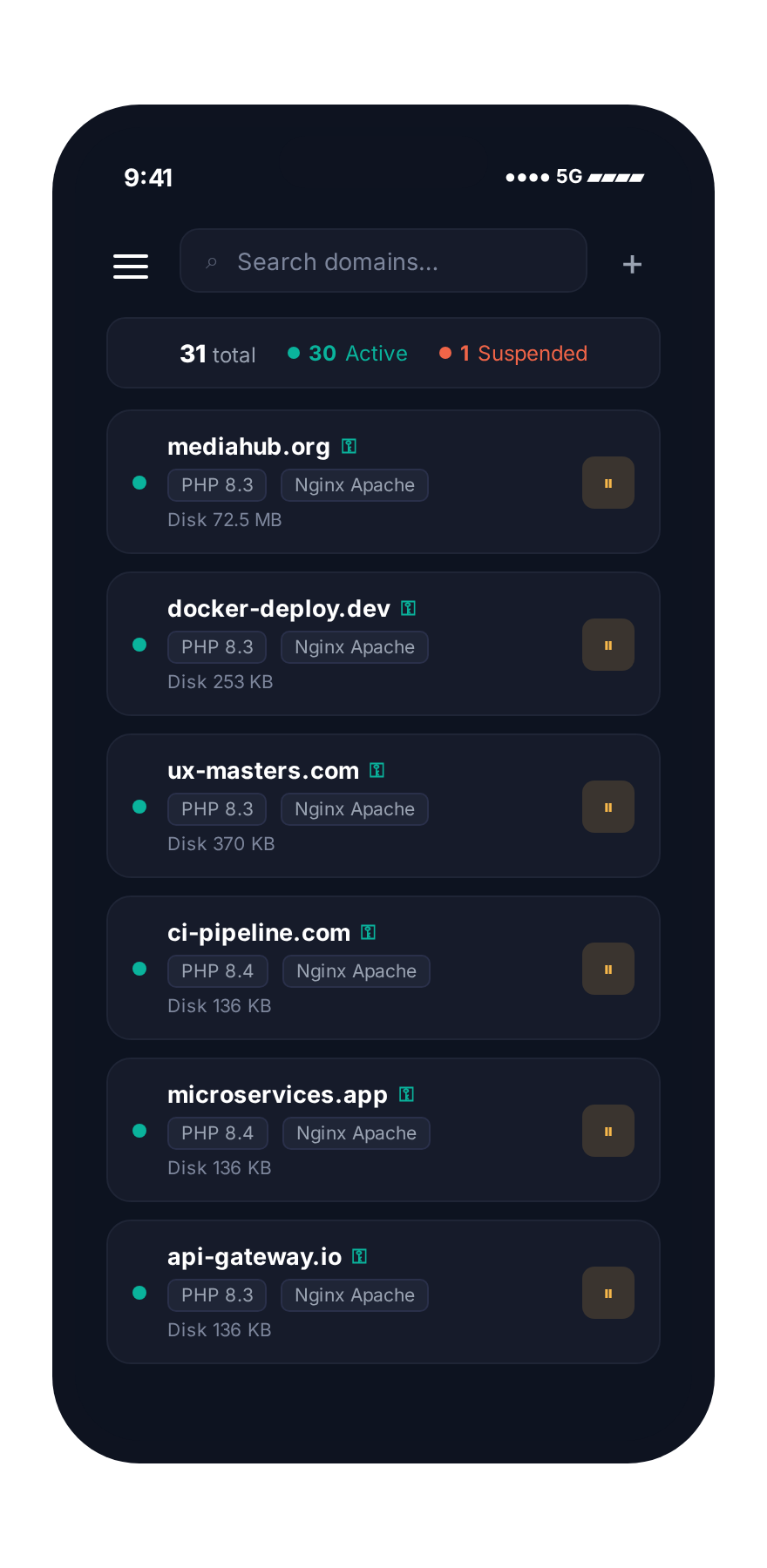
Add the domain and the panel sets up DNS, email, SSL certificate, file access and security rules for you. Subdomains, redirects and parked domains all work the same way. If you use Cloudflare, it just connects, no manual setup.
- Add a domain in secondsWatch the panel set up the website, email, SSL and file access in real time, no clicks needed.
- Cloudflare without the headacheConnect your account once. Manage DNS records, firewall rules, page rules and traffic analytics from inside the panel.
- Catches mistakes before they happenWrong domain name, full disk, missing customer record? The panel warns you before anything goes live.

Every customer, every plan, one search box.
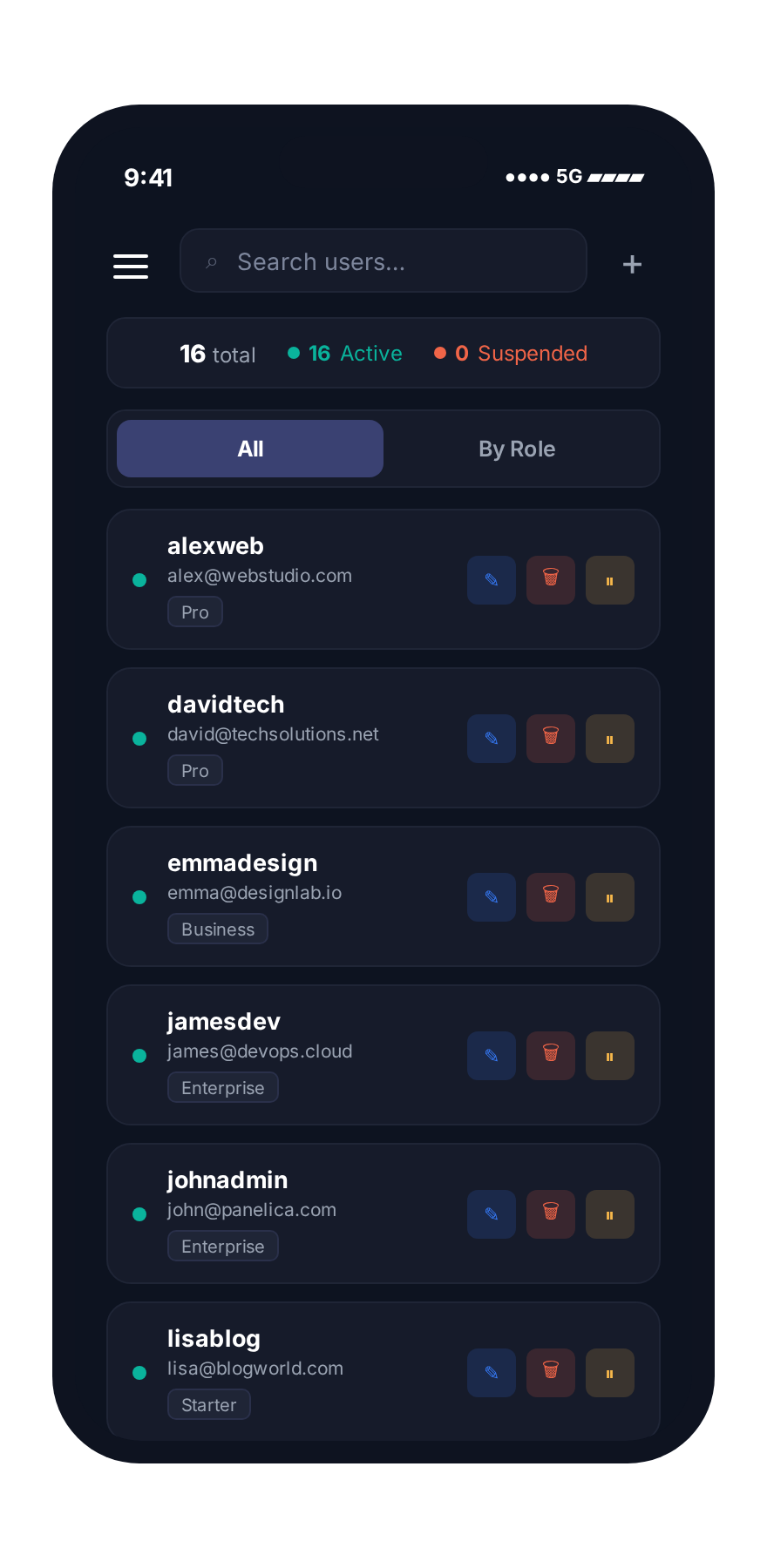
See every customer at a glance, sorted by who uses the most. Suspend, upgrade or move accounts with one click. If a single customer goes wild, the server stays calm.
- Custom access for each customerGive one customer extra features, hide modules from another. Each role sees exactly what you allow.
- Limits that actually holdCustomers get a warning first, a cap second, and the server protects itself last. No way around it.
- Reseller-friendlyWholesale customers can sell hosting under their own brand, all from inside your panel.

An on-call engineer that already knows your panel
OpsAI is a built-in AI helper that already knows every part of the panel. Fifteen specialists answer your questions, suggest fixes, and run safe actions for you, just like a senior engineer would.

Your customers' data, untouchable.
Take backups every hour, every day, every week, all at the same time and all rotated separately. Store them off-site if you want. Restoring an account back to yesterday or last week takes about four minutes.
- Independent retention chainsHourly, daily, weekly ; no rotation conflict.
- Captures every databaseAll customer databases backed up automatically. Restore brings them back exactly as they were, including login passwords.
- Restore on a different serverNeed to move a customer to a new server? Drop the backup file in, click restore, done.

Move every customer site over in one click.
Move from your old hosting panel without breaking anything. The importer connects to your old server, finds every site, copies files, databases and emails, and checks that everything works before you change DNS. Customer passwords stay the same.
- No customer has to reset their passwordEmail and database passwords are carried over exactly. Customers log in with what they already use.
- 7-step pipeline you can pause and resumeConnect to source panel · auto-discover sites · verify credentials · transfer files · import databases · import mail · run health check. If a step fails, fix it and resume ; no full restart.
- Brings the small stuff with itCloudflare records, scheduled tasks, subdomains, SSL, mail forwards and auto-replies are all detected and moved with the site.

No reload. No spinner. Just live.
No spinning loaders, no manual refresh. Server load, traffic, deploys, alerts, all update on screen the moment something happens.
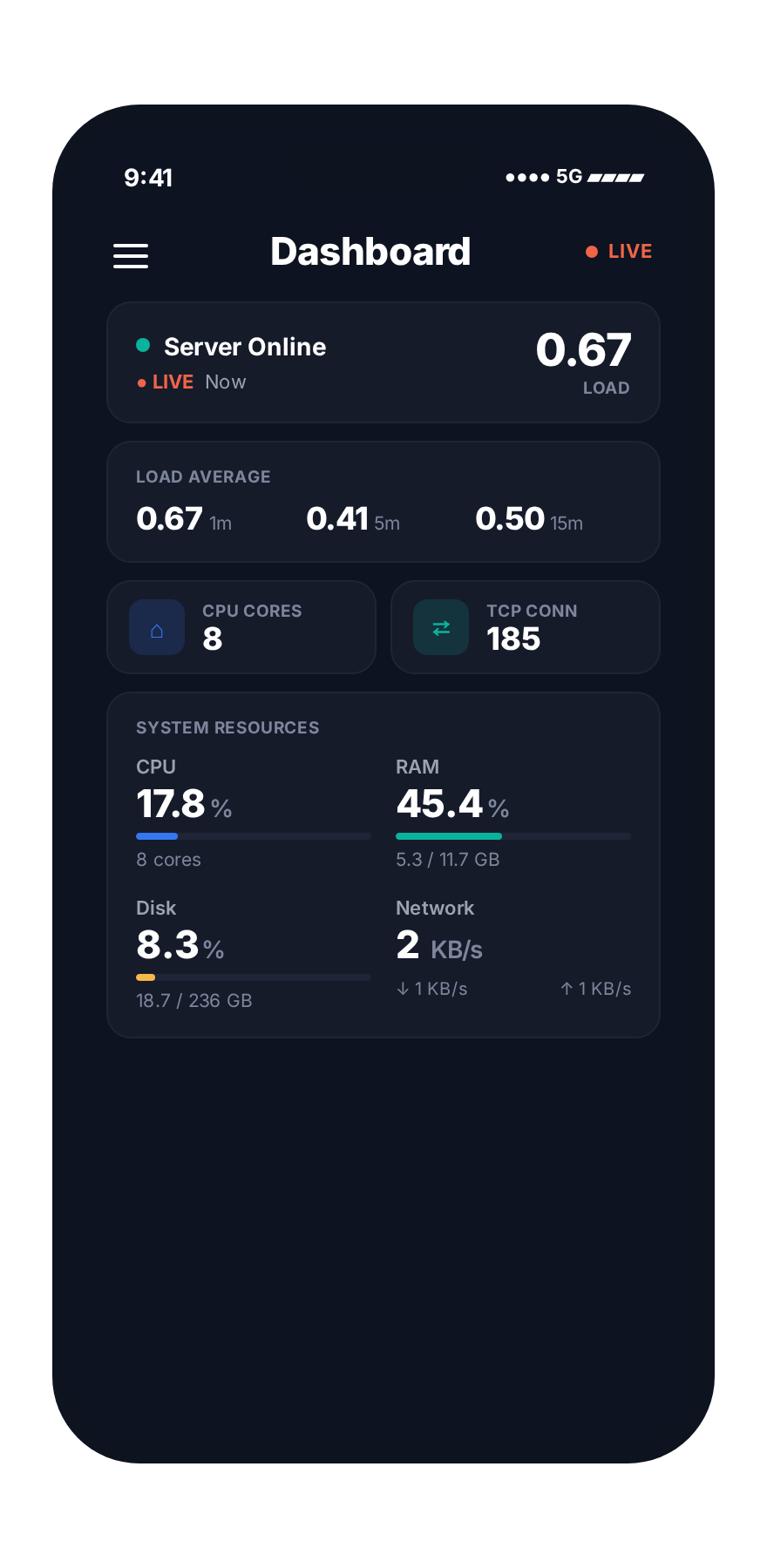
- Live dashboardsCPU, memory, disk and traffic numbers refresh every two seconds.
- Live upload progressWatch big files upload and unpack in real time, byte by byte.
- Live activity feedEvery backup, deploy, login attempt and alert appears the second it happens.
- Tab-friendlyUpdates pause when the tab is hidden so your browser stays fast.

Crisp by day, easy on the eyes by night
Theme switch is per-user, persisted across sessions. 42-color brand token system, every UI surface tokenized so the whole panel follows your primary color in real time.
Every defense, every signal, in one feed.
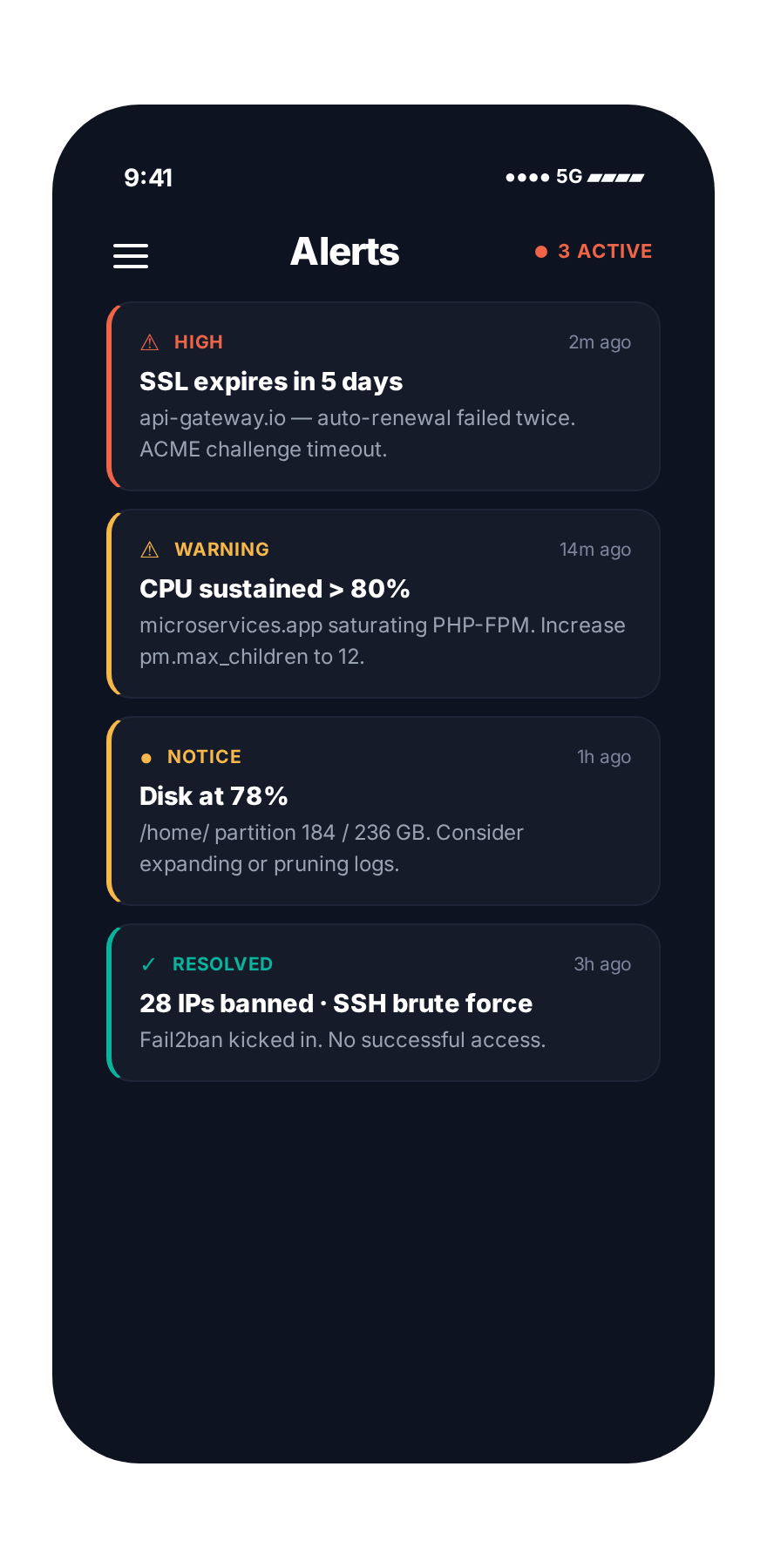
Antivirus, malware scanner, web application firewall, brute-force protection, country blocking and a security advisor that tells you exactly what to fix and does it for you on one click.
- Smart malware scannerFinds infected files in WordPress, Joomla and other apps automatically. You can stop a scan any time.
- Block countries with one clickPick the countries you do not serve. Their traffic gets dropped at the operating system level, never even reaches the panel.
- Containment if something goes wrongEven if a hacker breaks one website, they cannot reach the rest of the server.

Compliance that pays for itself.
Enterprise audit mode captures every action ; even GET requests, with actor, target, source IP, exact path, and outcome. Seven-year retention, exportable to CSV. SOC 2, HIPAA, ISO 27001 evidence-ready out of the box.
- Every event tagged clearlyEasy to filter: customer created, SSL renewed, plan changed, login denied, you name it.
- Compliance readyRetention rules, access reviews and evidence export are built in. No extra tools needed.

Make the panel feel like yours.
Make the panel look like your company. Custom logo, your own color palette (42 colors to match), your own panel domain, even custom error pages. Different brands per plan or per customer if you want.
- 42 color slots, fully editableChange one main color and the whole panel follows. Match your brand exactly.
- Use your own domainpanel.yourbrand.com with SSL set up automatically.
- Plans and revenue at a glanceSee how many customers each plan has and how much it earns. Change a plan limit, every customer on it updates instantly.

Your server, in your pocket.
Real native apps for iPhone and Android. Watch your server live, see CPU and memory in real time, get notified the second something breaks, manage domains and users from anywhere.
Install Panelica in about six minutes
A fresh Ubuntu 22 / 24 / 26, Debian 12 / 13, AlmaLinux 9 / 10 or Rocky Linux 9 / 10 server with at least 2 GB RAM is the only requirement. Total time: about six minutes.
- 1SSH into your Linux server.Use an Ubuntu 22.04, 24.04, 26.04, Debian 12 / 13, AlmaLinux 9 / 10 or Rocky Linux 9 / 10 host with 2 GB RAM minimum.
- 2Run the one-line installer.Paste
curl -sSL https://latest.panelica.com/install.sh | bashand press Enter. - 3Wait about six minutes.The installer fetches the verified tarball, installs nginx, apache, PHP, BIND, Postfix, Dovecot, MySQL, PostgreSQL and Redis under
/opt/panelica, and starts every service. - 4Open the panel.Visit
https://your-server-ip:8443and accept the self-signed certificate. The installer prints the initial admin credentials at the end. - 5Run the Setup Wizard.Pick a hostname, panel domain, primary email, time zone, language and license key. The wizard automatically issues a Let's Encrypt certificate for the panel domain.
- 6Add your first hosting account or migrate.Either provision a fresh tenant from the Hosting Accounts page, or click "Migrate in" to import an entire customer book from your old panel.
We didn't write ourselves any quotes.
No cherry-picked testimonials on this page. Instead, here is where you can check that Panelica is real, live, and actively maintained — in app stores, on GitHub, and in a changelog dated against our own commit history.
Common questions about Panelica
What is Panelica?
Panelica is a modern Linux hosting control panel and a direct alternative to cPanel, Plesk, DirectAdmin, aaPanel, and CyberPanel. It includes 40 first-class modules, a built-in AI co-pilot with 15 specialist experts, native iOS and Android apps, and a one-click migration importer that moves entire customer books from any legacy hosting panel.
Is Panelica free?
Yes. Panelica is free forever for personal use with one hosting account and the full feature set, no credit card, no expiry, no degraded functionality. The provider edition adds unlimited tenants, white-label, reseller mode and priority support.
Is Panelica a cPanel alternative?
Yes. Panelica replaces cPanel and WHM with a single panel that includes domain management, email, DNS, MySQL, SSL, WordPress Toolkit, plan-based hosting accounts and reseller mode, at a flat license (no per-account fees) and with native mobile apps that cPanel does not offer.
Is Panelica a Plesk alternative?
Yes. Panelica covers every Plesk core feature, WordPress, domains, mail, Docker, Git deploy, security, plus features Plesk lacks: built-in AI co-pilot, native iOS and Android apps, eBPF kernel-level bandwidth shaping and 5-layer tenant isolation.
Can I migrate from cPanel or Plesk without losing customer passwords?
Yes. The Panelica importer connects to your old panel, discovers every site, then carries over email password hashes (SHA512-CRYPT) and database password hashes byte-for-byte. End users continue to log in with their existing credentials. Tested with customer accounts up to 100 GB each.
What operating systems does Panelica support?
Ubuntu 22.04, 24.04 and 26.04 LTS, Debian 12 and 13, AlmaLinux 9 and 10, and Rocky Linux 9 and 10. Minimum 2 GB RAM is recommended; production servers usually run 16 GB or more.
How long does Panelica installation take?
About six minutes on a typical VPS or dedicated server. Installation is a single one-line command: curl -sSL https://latest.panelica.com/install.sh | bash. The installer is checksum-verified and reproducible across the supported distributions.
Does Panelica support WordPress?
Yes. Panelica includes a full WordPress Toolkit: one-click install with security hardening, Benchmark v2 (28 tests across 8 categories), Redis Boost for full-page and object caching, GeoIP-flagged security activity log, staging and clone, eight dedicated pages in total.
Does Panelica have native mobile apps?
Yes. Real native iOS and Android apps are live in the App Store and Google Play. They include push notifications for incidents, biometric login, on-call console, hosting account search, and an offline action queue that syncs when the device reconnects.
How is OpsAI different from a generic AI chatbot?
OpsAI is trained on every Panelica module and the panel's 1,263 API endpoints. It is split into 15 specialist experts (domain, SSL, mail, WordPress, Docker, Git, database, security, performance, etc.) and operates through the same RBAC-aware panel API a human admin would. It runs locally from the binary, no external runtime, no data leaving the server, and includes a sandbox demo mode for safe exploration.
What is Panelica?
Panelica is a modern Linux hosting control panel and a direct alternative to cPanel, Plesk, DirectAdmin, aaPanel, and CyberPanel. It runs on Ubuntu 22 / 24 / 26, Debian 12 / 13, AlmaLinux 9 / 10 and Rocky Linux 9 / 10, installs in about six minutes with a single command, and includes 40 first-class modules across 200+ pages, domain management, mail, DNS, databases, SSL, WordPress Toolkit, Docker manager with 99 templates, Git deploy with CI/CD, backups with off-site storage, a security stack with ModSecurity, Fail2ban, AppArmor and country blocking, and a built-in AI co-pilot called OpsAI with 15 specialist experts trained on 1,263 panel endpoints.
Panelica is free forever for personal use. The provider edition is built for hosting companies and digital agencies that run hundreds of customer accounts per server and several servers from one master panel, with white-label branding (42 color tokens), reseller mode, plan-based quotas with kernel-level enforcement, native iOS and Android apps, and a one-click migration importer that moves every site, mailbox, database and SSL certificate from any legacy hosting panel without resetting a single end-user password.
Ready to switch from your old hosting panel?
Personal use is free forever. One hosting account, the full feature set, no credit card, no expiry. Move your existing sites in one click whenever you're ready.